


Synchra.24 helps organize frontline and distributed teams
Bring time tracking and day-to-day team management together. Improve discipline, reduce manual oversight and see how your teams work.
Work tools right on your employees’ phones
Synchra24 is designed for mobile first. Employees can access their daily tools wherever they work, on a site, in a factory, at a store or out in the field.
Time tracking, schedules, tasks, requests, documents and communication are all in one place. Managers get oversight and analytics. Employees get everything they need for work in one app.
desktop_windowsWeb appA workspace for managers and office teams
Managers can see team activity, shifts, tasks, incidents, reports and key metrics in one place. The larger screen makes it easier to oversee work and make decisions.
Open the web appopen_in_new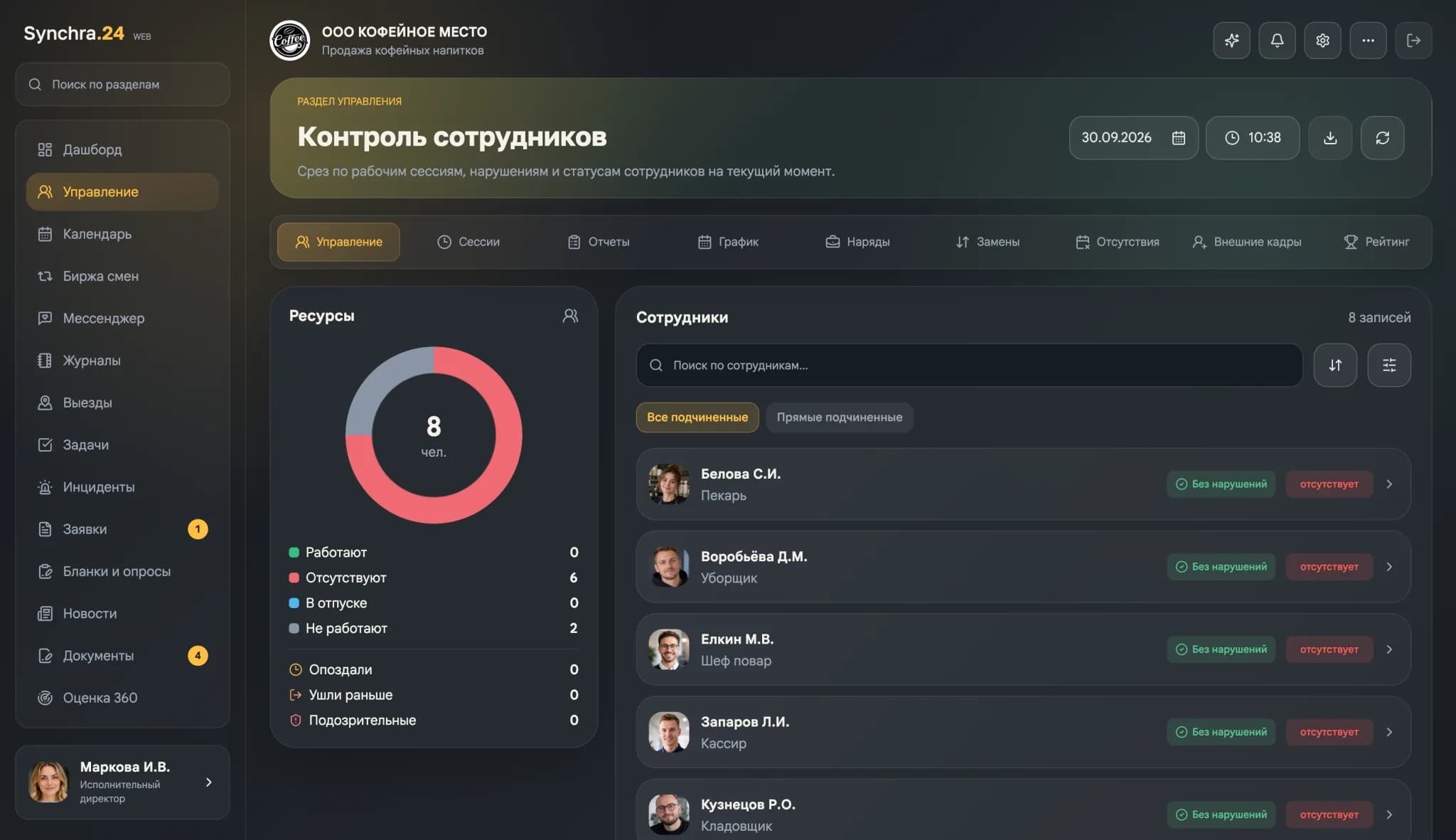
A workspace for managers and office teams
Managers can see team activity, shifts, tasks, incidents, reports and key metrics in one place. The larger screen makes it easier to oversee work and make decisions.
Open the web appopen_in_newKey features
Extend Synchra24 to fit your company’s workflows
Build microapps inside the platform when standard modules aren’t enough, from focused work screens to services for specific departments and roles.
Microapps share Synchra24 permissions and work alongside tasks, documents, requests and other mobile services.
Why Synchra24
works for frontline
and distributed teams
Time tracking without complex infrastructure
- Employees can track time, confirm attendance and start shifts from their phones.
- MotionCode records the start and end of work without terminals or expensive equipment.
One mobile workspace for frontline teams
- Flexible schedules, absence tracking, cover and the shift marketplace help teams adjust schedules from their phones.
- Use the qualifications and clearances matrix to assign available employees with the right training and valid documents.
Paperless approvals and HR processes
- Request and approve leave, submit applications, sign documents and route internal forms digitally.
- Clear workflows save time for employees and their departments.
Flexible roles, reporting lines and visibility for managers
- Set permissions and reporting lines to match how your company works.
- Managers can quickly see task progress, attendance, reports and team workload.
Attendance verification
without terminals or complex infrastructure
MotionCode lets employees clock in and out on their phones. Companies can verify on-site attendance without expensive terminals or specialized equipment.
Confirm attendance at the code location
MotionCode is readable only while it plays, so a saved image cannot be reused later.
Use a panel or browser on site
Run the code from a MotionCode panel or a browser at the workplace. No terminals or dedicated controllers are needed.
Offline support
If a panel or an employee loses internet access, the system can use an offline code and sync the events later.
MotionCode helps you roll out time tracking across distributed sites faster, reduces misuse and costs less to deploy than a setup with dedicated hardware.
Employee face recognition
MotionCode recognizes the employee’s face to confirm they are physically present when recording working time.Biometric identification supports integration with Russia’s Unified Biometric System (UBS), taking into account Federal Law No. 572-FZ of 29 December 2022.
What changes
after implementing Synchra24
Synchra24 brings work into one mobile workspace. Time tracking, flexible schedules, absences, cover, open shifts and qualifications connect to tasks, reports, incidents and work materials. Managers can see who is available, how work is progressing and what each shift accomplished.
Synchra24 news
New features, platform updates and practical resources for managing teams.
How to implement employee time tracking: 7 steps
A step-by-step plan for the implementation of time management: team training, mandatory marks, analysis of passes and uniform rules for managers and employees.
Read the articleSynchra24 in five languages with support for international numbers
In Synchra24, you can choose Russian, English, Kazakh, Spanish or Belarusian and register with your country number.
Read the articleSynchra.24 at Kazan Digital Week 2026: introduction to the platform and meetings at the stand
The Sync command.24 participated in Kazan Digital Week 2026: presented the employee management platform, talked with visitors and received a letter of thanks from the organizers.
Read the article