


Machine translation
What's new in Synchra24 1.1.2: Vacation plan, OTP call and updated chat
Synchra24 1.1.2 has updated the vacation plan, added call registration confirmation, a Favorites chat, and a single section with media, files, voice messages, and links.
We are releasing Synchra24 1.1.2. In the new version, we have redesigned the vacation planning section, simplified the confirmation of the number during registration, and added several useful features to the messenger.
The update makes daily work with the application more convenient: it is easier for an employee to plan a vacation and find the necessary materials from correspondence, and for a new user to confirm registration without going to email.
Updated vacation plan
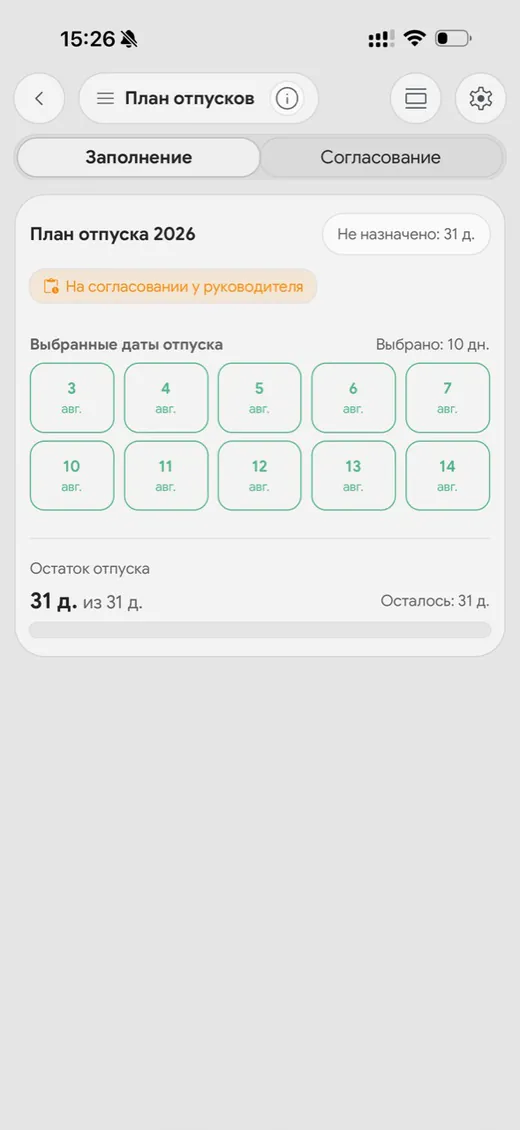
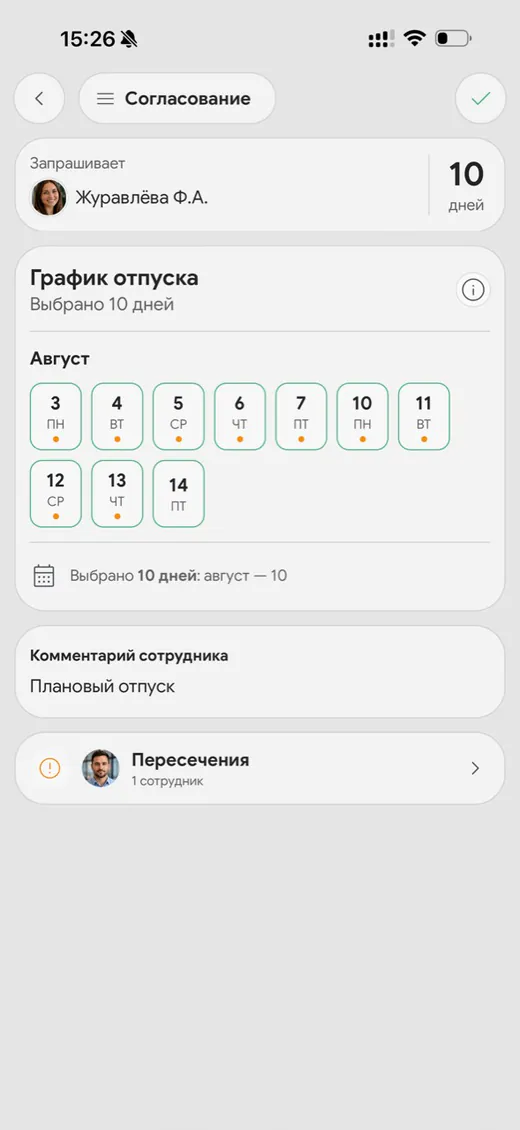
Chapter "Vacation Plan" got a new interface. Information about the available days, selected periods, and approval status has become more visible, and the actions for completing and approving the plan are divided into separate tabs.
An employee can select a year, view the rest of their vacation days, create or change a plan, and see the supervisor's decision. Clear statuses are displayed for applications: the plan is awaiting approval, fully or partially approved, or rejected. Unused days from the previous year can be moved to the current period, if the company's settings allow it.
The manager has access to a list of employee plans with current statuses and the date of the last change. This way, vacation planning remains linked to the overall employee management system and work schedules.
Confirmation of registration by incoming call
Previously, a six-digit OTP code for registration was sent by e-mail. In Synchra24 1.1.2, the phone number can be confirmed with a short incoming call. You do not need to answer it: just enter the last four digits of the number from which the call was received in the application.
Now you don't need to switch between the app and mail to confirm. If the call service is temporarily unavailable, the previous method will remain redundant: the application will send a six-digit registration code by email.
Personal Favorites Chat
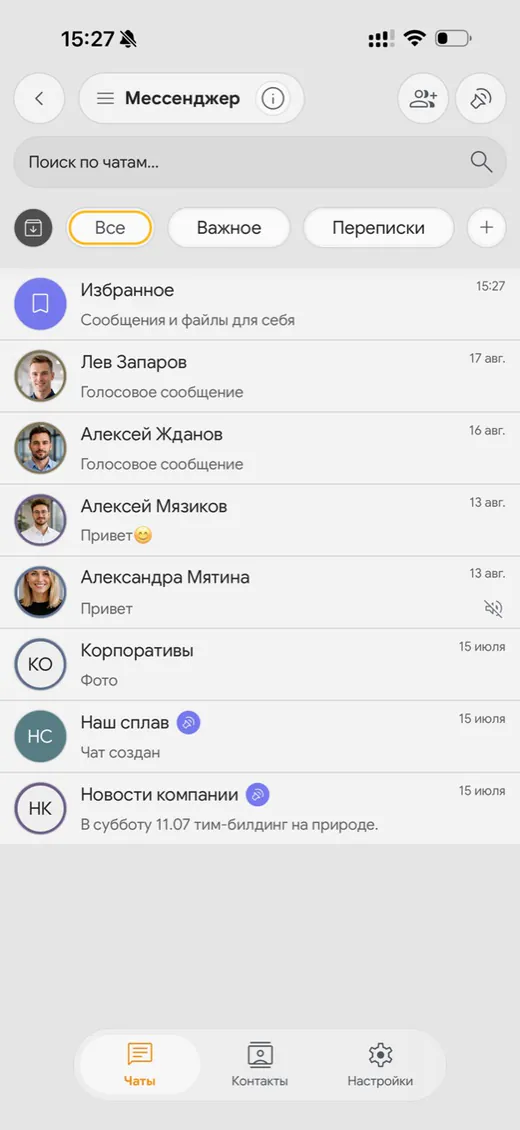
A chat appeared in the messenger "Favorites" — a private space for messages and files that you need to keep for yourself. You can send an important message from another conversation to it, so that you can quickly return to the instructions, document, link, or other useful information later.
"Favorites" is in the general list of chats and is always available under the user account. This is more convenient than searching for the right message in the entire history of work correspondence.
All correspondence materials in one place
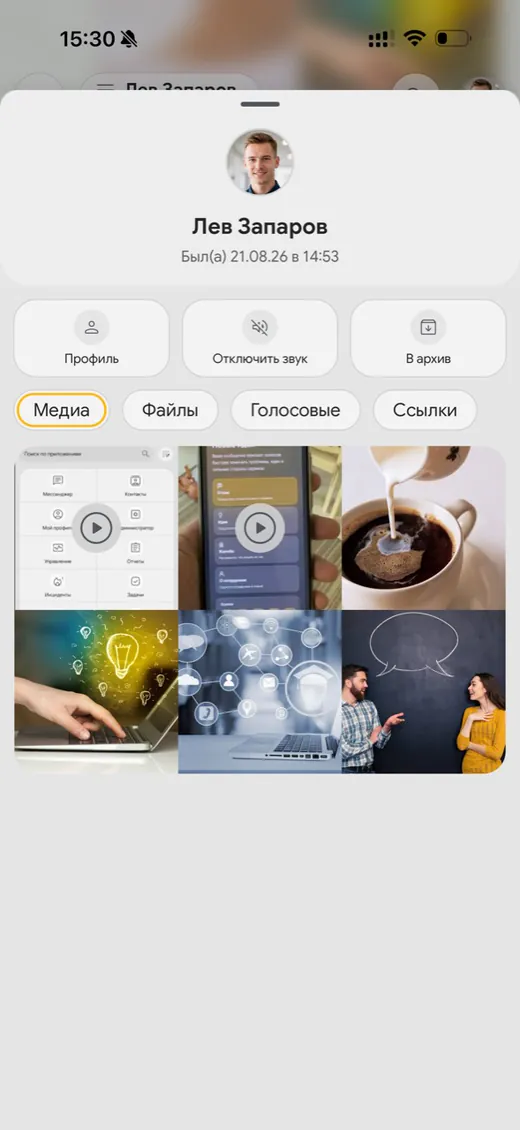
A separate section with the contents of the conversation has appeared in the chat information. The materials are automatically distributed across four tabs:
- "Media" — photos and videos;
- "Files" — documents and other attachments;
- "Voice messages" — voice messages;
- "Links" — addresses sent by the chat participants.
Now, to find the desired file or record, you do not need to scroll through the entire conversation. It is enough to open the chat information and select the appropriate tab.
Synchra24 1.1.2
Version 1.1.2 continues the development of the mobile application as a single workspace for employees and managers. The updated vacation plan simplifies team planning, OTP call registration, and new messenger features help you not lose important messages and materials.
More information about the platform's features can be found on the page employee management systems or in Synchra24 news.