


Machine translation
Synchra24 Automation Integration Engine
The Synchra24 integration engine receives data from 1C and other systems, converts it, uploads it to work services and transmits it outside according to a schedule or events.
Synchra24 introduced automation integration engine. It helps to link the company's workflows with 1C, accounting systems and other corporate services without a separate server for each exchange scenario.
Automation can receive data from an external API or an internal event, check the conditions, transform the information, and send the result to one or more systems, including Synchra24 services via the Open API. Configuration, verification, and launch history are collected in the admin panel.
Data exchange in both directions
The engine works not only for uploading. In one scenario, Synchra24 may be the data source, and in another, it may be the system that receives it.
For example, automation can:
- get employee data, schedules, or tasks from 1C or ERP, adjust them to the desired structure, and upload them to the supported Synchra24 service via the Open API;
- after completing the shift, transfer the actual working hours to the accounting system;
- regularly verify data in an external directory and update related records;
- collect information from multiple APIs, combine it, and send the result to multiple systems at once.
For two-way synchronization, separate understandable scenarios are created for each direction. This makes it easier to control the schedule, conversion rules, accesses, and exchange history.
Three launch methods
There are three modes available for different tasks:
- manually — to test a new script or run it as needed;
- according to the schedule — for regular synchronization, such as hourly data transfer or daily upload;
- by event — immediately after a working action in the system.
Event-based startup allows you to respond to changes without constantly polling services. For example, you can send information about a completed task, an agreed application, a new employee, a schedule change, a cash register operation, or the end of a shift to an external system.
Authorization and corporate chat events are not included in the integration loop. The engine works with business activities within the company and transmits only the data necessary for the selected scenario.
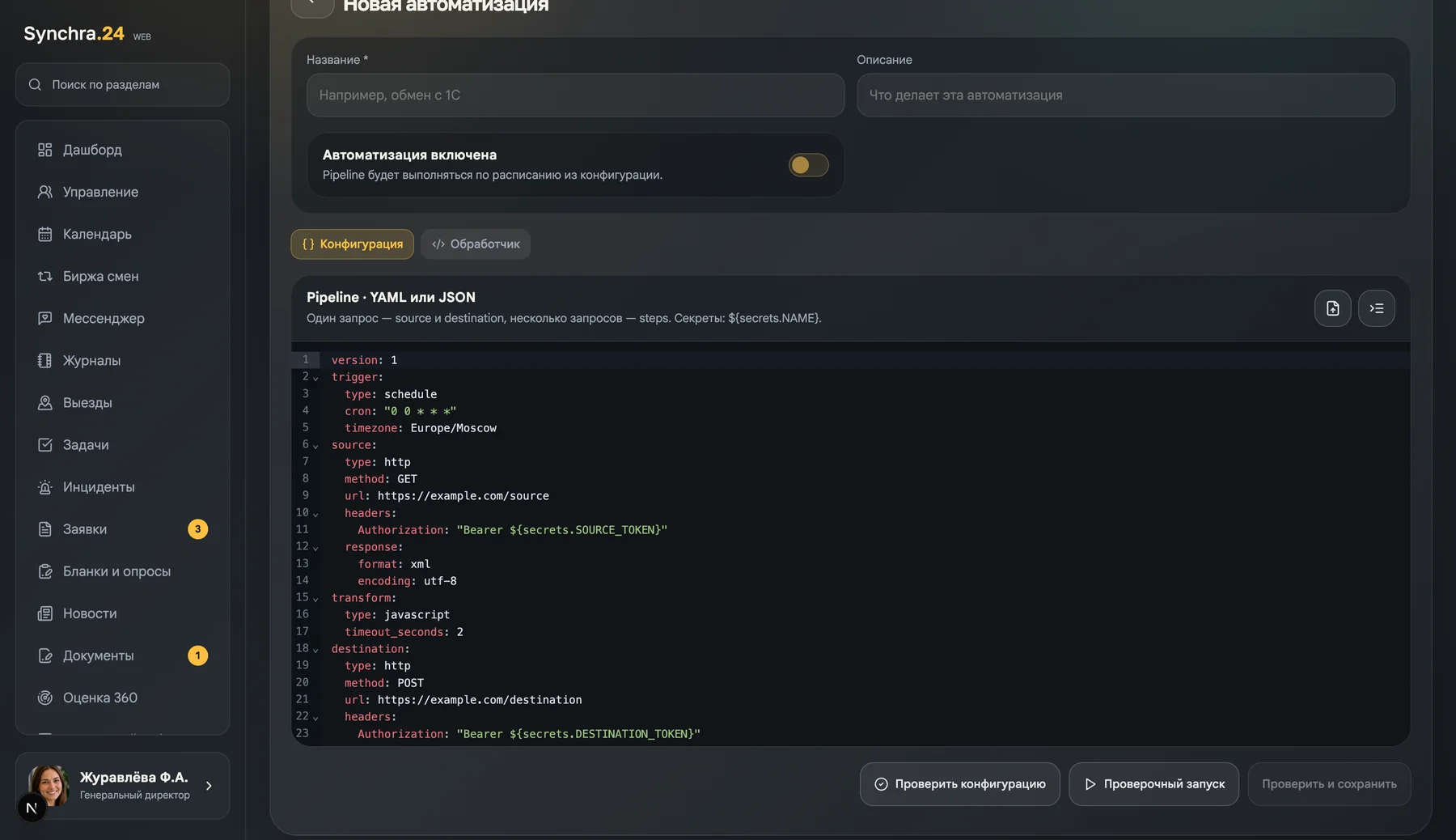
How automation works
Each scenario consists of several understandable parts:
- The trigger determines the launch time.
- A source gets data from an external HTTP API if the script needs it.
- Conditions events that do not need to be processed are screened out.
- JavaScript handler brings the data to the desired structure.
- Appointment transmits the result to an external API or to the required Synchra24 service.
One automation can access multiple sources and send the result to multiple destinations. The engine supports JSON, XML, CSV, TSV, and plain text, so it is suitable for both modern APIs and familiar exchange formats.
For example, a company can regularly receive data from one system, combine it with the employee directory, and transfer the prepared result to the accounting loop or back to work services. Another scenario may run after the end of the shift and send the actual working time for further calculation.
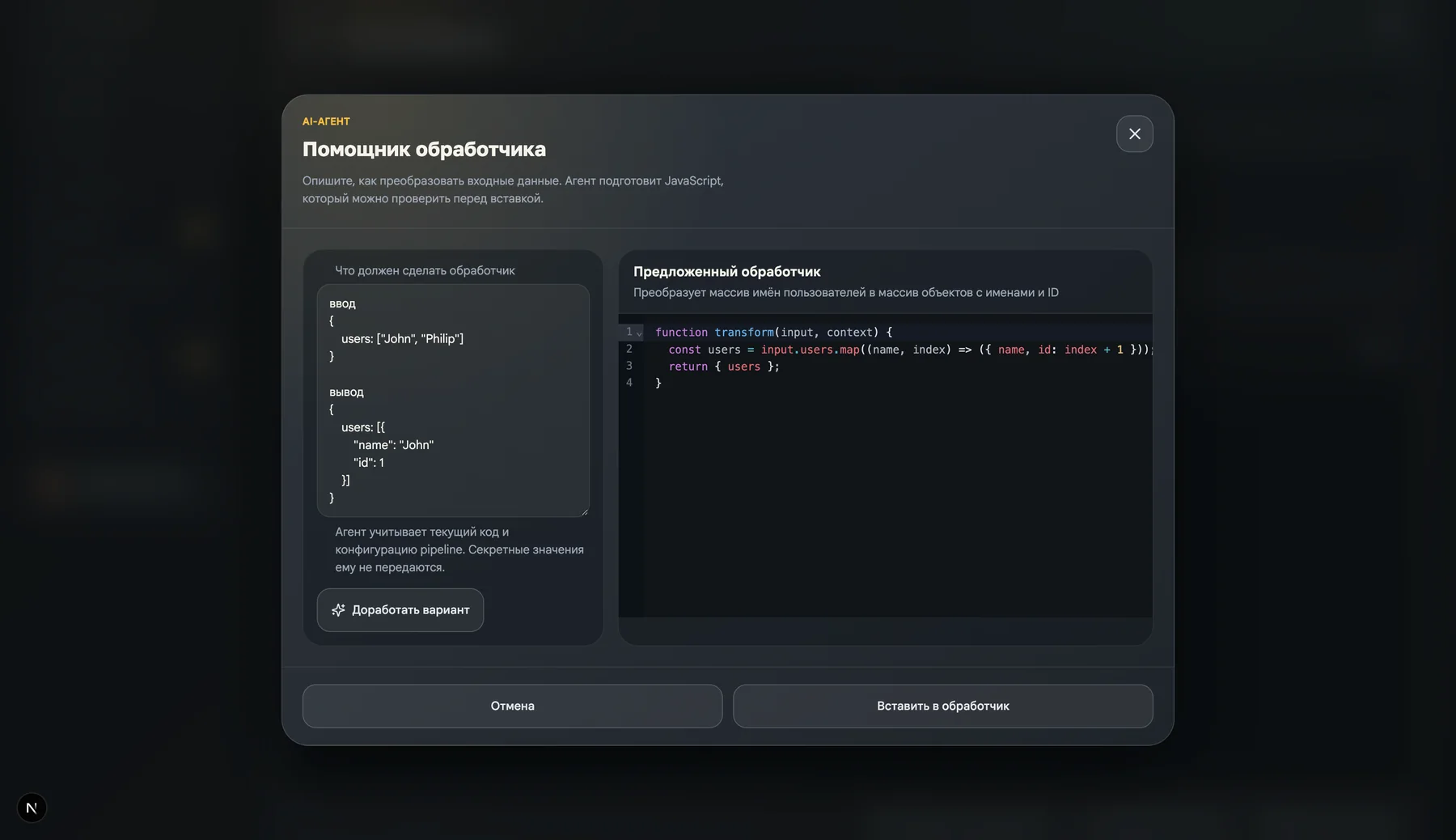
JavaScript handlers using an AI agent
The conversion logic can be written manually in JavaScript or prepared using the built-in AI agent. It is enough to describe in ordinary language what data needs to be selected, checked, renamed, or assembled into a final structure. The agent will take into account the script configuration and an example of input data, and then offer a ready-made function. transform(input, context).
This approach allows you to collect handlers in the vibe coding format, even if the user does not write JavaScript every day. The proposed code remains available for viewing and editing: it can be finalized together with the agent, tested on test data, and only then inserted into automation.
Secret variables — tokens, API keys, and passwords — are not passed to the AI agent.
Work events as the basis of integrations
Automations can respond to events from Synchra24's main services: time tracking, tasks, applications, documents, reports, cash registers, vacations, qualifications, work orders, schedules, shift exchanges, field work, and other work sections.
Each event contains a unique identifier, time, source, and useful data about the performed action. You can set conditions for the launch, for example, to process only delays longer than 15 minutes, completed tasks of a certain type, or cash transactions of the desired type.
A complete and constantly updated list is available at event catalog.
Verification, history, and data protection
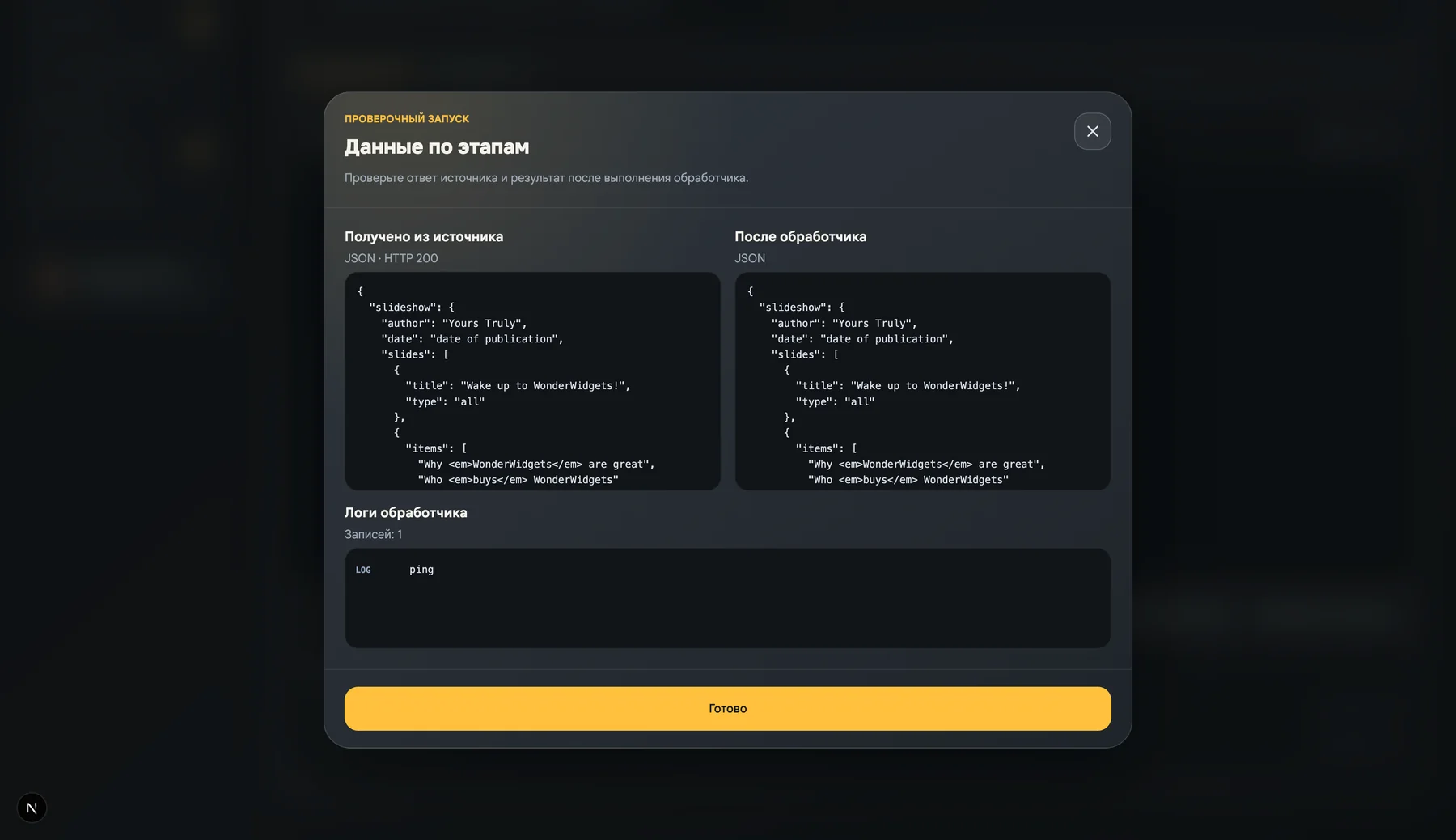
Before enabling the script, the administrator can check the configuration and perform a trial run. The system will show the source data, the handler result, and the log messages. After the launch, the status, duration, and information for each stage are saved in the history. This helps to quickly find the cause of the error.
API keys, tokens, and passwords are stored separately from the configuration in secret variables. They can be replaced without editing all related scripts. Execution takes place on the server, and temporary failures of the external system can be handled by repeated attempts.
Events are protected from being re-triggered by a single identifier. Asynchronous processing does not delay the main user action: the task, request, or schedule change is saved regardless of the response from the external service.
Where to set up
The integration engine is available in the Web interface in the section Administrator → Automation. There you can create a script, add secret variables, check the handler, enable a schedule, or select a work event.
It will help you start setting up a quick guide to automation. Detailed scenario parameters are described in configuration documentation, and error checking and analysis is in the section testing and diagnostics.