


Machine translation
What's new in Synchra24 1.2.1: Check-outs, offline mode, and AI tools
Synchra24 1.2.1 introduced employee and team visits, a full-fledged read-only offline mode, the company's organizational structure in contacts, speech recognition in input fields, and the creation of a role-based system using AI.
We are releasing Synchra24 1.2.1. The update has a new section for managing field work, the application has become more useful when the Internet is unstable, and AI tools now help not only analyze data, but also enter text faster and configure roles.
The version also includes an updated view of the organizational structure and many small fixes that make the daily operation of the application more stable and convenient.
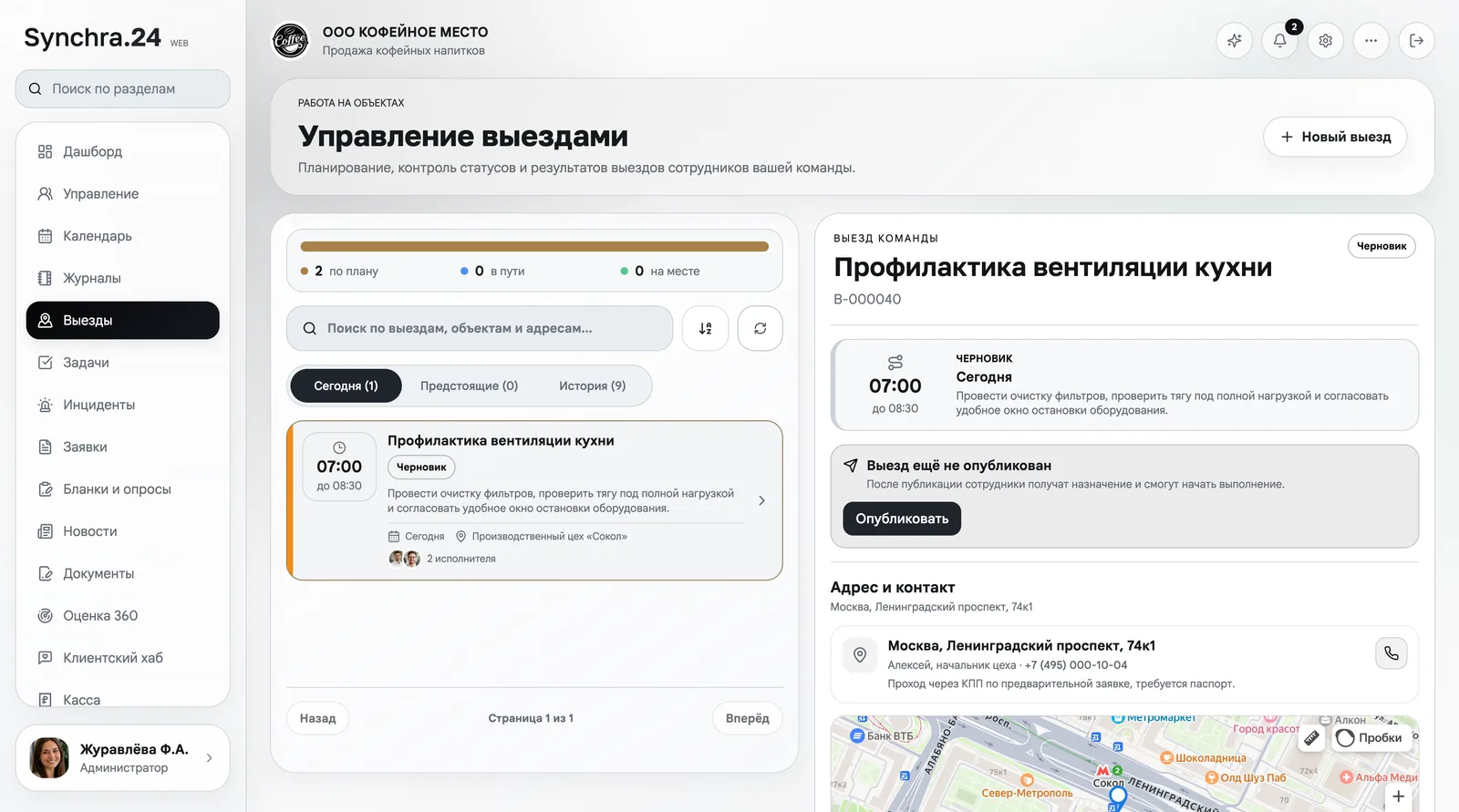
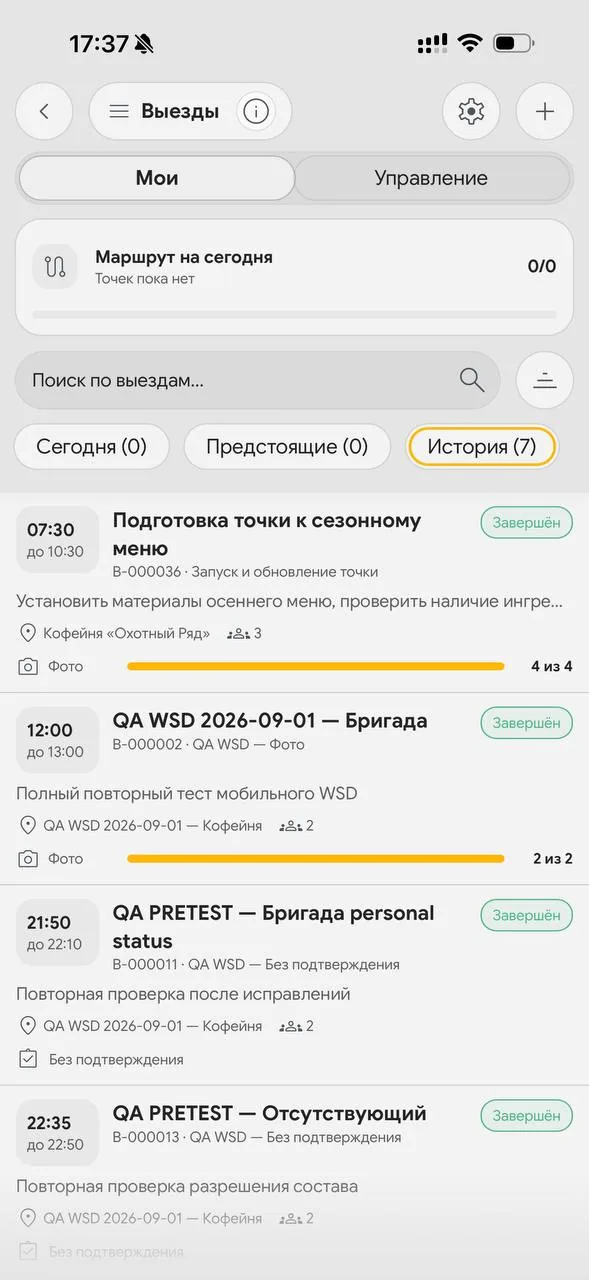
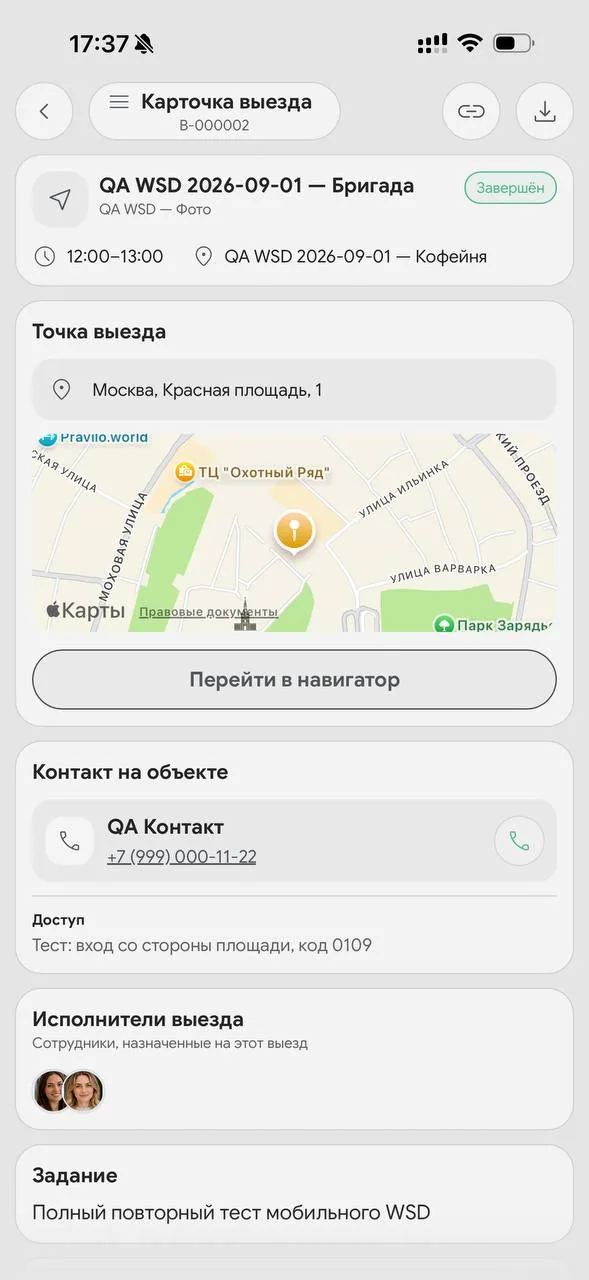
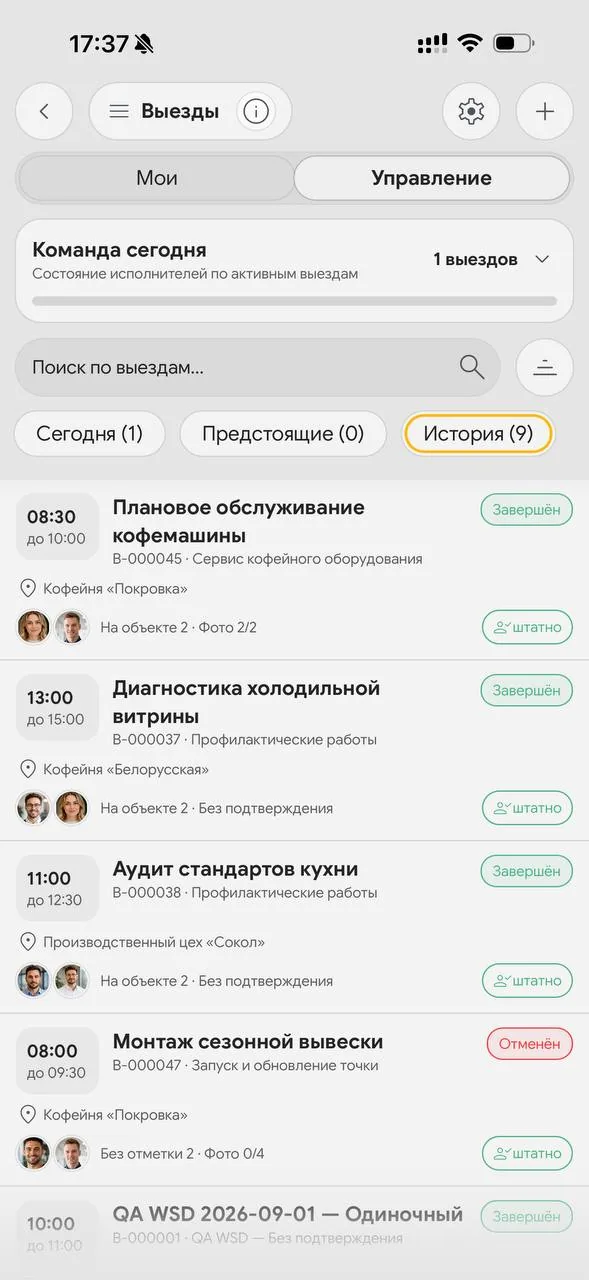
Staff and team visits
The app has a new section. "Departures". It is designed for employees and teams who work outside of a permanent workplace.: service engineers, installers, couriers, sales representatives, and other field specialists.
The supervisor can create a check-out, specify the point and time, appoint a responsible person and participants, add a task and a contact at the facility. The employee sees the upcoming trips, the route and all the necessary information in one card.
During work, participants mark departure and arrival at the facility. The result can be confirmed with photos, a checklist, or a report, depending on the settings. The manager sees the status of the team and the history of completed, canceled, or repeated trips.
This way, field work is not separated from other Synchra24 processes. A trip can be linked to a task, request, or request from the Client Hub, and the result can be saved in the employee's general work history.
For more information about setting up and operating the service, see departure documentation.
Full-fledged read-only offline mode
Synchra24 1.2.1 allows you to continue working with the application even if the Internet is temporarily unavailable. read-only offline mode The user can open sections and view data that was previously downloaded and stored in the phone's memory.
For example, an employee can return to information about assignments, tasks, documents, or other work data available to them without waiting for communication to be restored. This is especially useful in remote locations, on the road, and in areas with unstable pavement.
Offline mode is intended for viewing. Data creation and modification remains unavailable until the connection is restored, so there are no conflicting versions in the system. After the network appears, the application receives up-to-date information from the server again.
Organizational structure in contacts
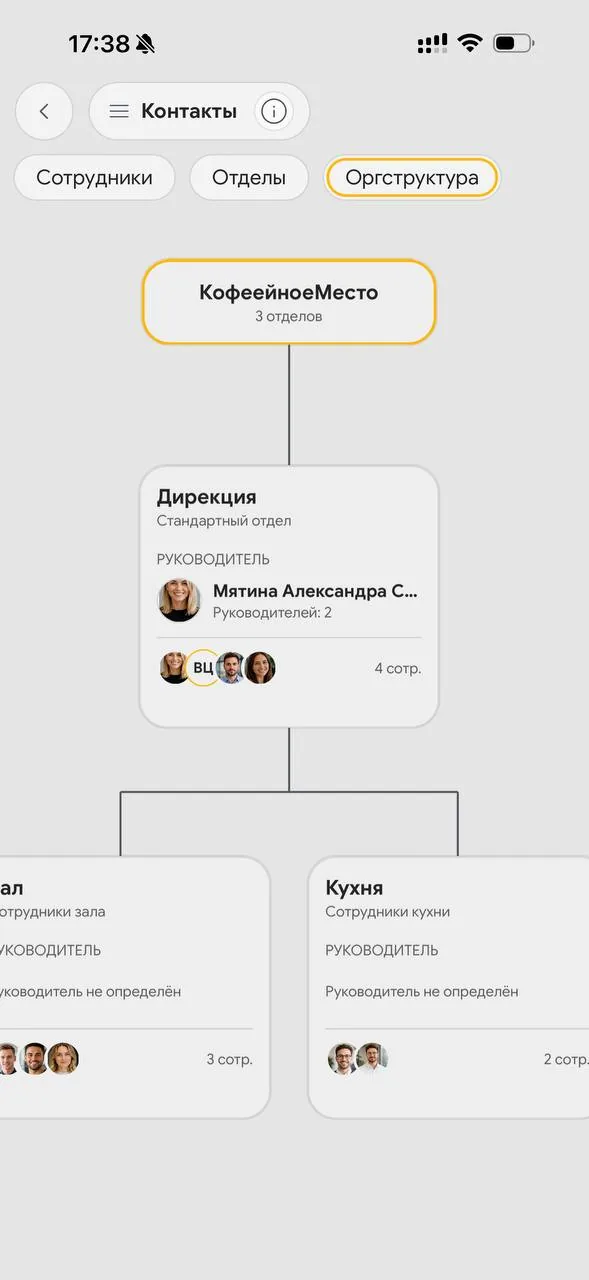
In the section "Contacts" a separate tab has been added "Organizational structure". In it, you can see how the company is organized: which departments are part of it, how they are interconnected, and where the right employee is located.
The new view helps you to quickly understand the structure of the organization and find a colleague not only by name, but also by his place in the company. This is convenient for new employees, large teams, and organizations with multiple divisions or sites.
Access to information still depends on the user's credentials. The employee sees only that part of the structure and those contacts that are allowed to him.
AI-speech recognition in input fields
An option has been added to all text fields of the application. AI speech recognition. Instead of typing manually, the user can dictate the text, check the result, and continue filling out the form.
Voice input helps you create tasks faster, write comments, describe incidents, fill out reports, and transmit information from the facility. This is especially useful when an employee is working on the move, wearing gloves, or unable to type on his phone for a long time.
The recognized text remains the normal content of the field. You can add or correct it before sending it.
Creating a role-playing system using AI
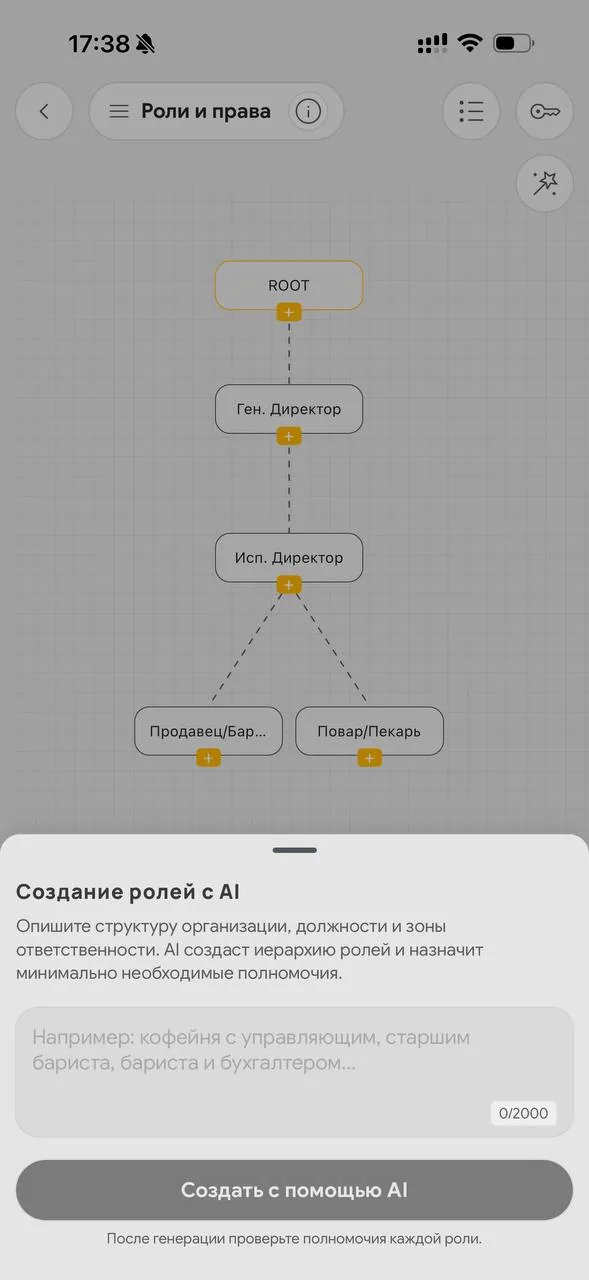
There is a new configuration mode in the roles section using AI. It helps to prepare a company's role system based on a description of its structure and work processes.
The user can formulate which categories of employees work in the organization and what actions they need. The AI will suggest a suitable set of roles and rights, after which the administrator will be able to check and adjust the settings before saving.
The new mode reduces the amount of manual configuration when Synchra24 is launched, especially if the company has many positions, departments, and different levels of responsibility. The final decision on the composition of roles and accesses remains with the administrator.
Minor fixes and improvements
In addition to major features, Synchra24 1.2.1 includes many small fixes. We have improved individual screens and scripts, fixed the errors found, and improved the stability of the application.
Synchra24 1.2.1
Version 1.2.1 extends Synchra24's capabilities for distributed teams. The supervisor gets a separate tool for managing departures and a faster way to configure roles. Employees can view saved work data without the Internet, enter text faster by voice, and navigate the company structure.
More information about the platform can be found on the page employee management systems or in Synchra24 documentation.