


Machine translation
Synchra24 1.2.3: Smart Summary, qualifications, and Shift management
Big Synchra24 Update 1.2.3 for frontline staff: a smart summary of the manager, qualifications and admissions, shift exchange, absence accounting and replacement management.
We are releasing Synchra24 1.2.3 — A big update for frontline staff and shift team leaders. In this version, we have completed several related functions at once that help us take into account the actual availability of employees, quickly close shifts and assign people with the right training to work.
The update includes smart executive summary, qualifications and admissions, exchange of shifts, accounting for absences and accounting for substitutions. Together, they form a single workflow: the manager sees the situation in the team, knows who is really available, the employee can find a colleague for his shift, and the system checks the schedule and professional requirements before appointment.
Qualifications and admissions
New section "The Kid" stores skills, equipment permits, medical permits, and employee certificates. Instead of disparate tables and folders, the manager receives a single team matrix: who is ready to work, what level has been confirmed, what documents have been attached, and who will soon expire their security clearance.
In the catalog, you can create different types of requirements, specify the maximum level, expiration date, and the need for a confirmation file or photo. The employee's card displays the level, status, dates, training results, and verification materials.
Requirements can be linked to roles in outfits and shifts on the stock exchange. Upon appointment, Synchra24 will warn you about missing qualifications. For security-related requirements or mandatory permits, the company can enable a strict regime and prohibit inappropriate use.
The function is optional: each company independently decides whether to use the qualifications matrix and includes it in the parameters.
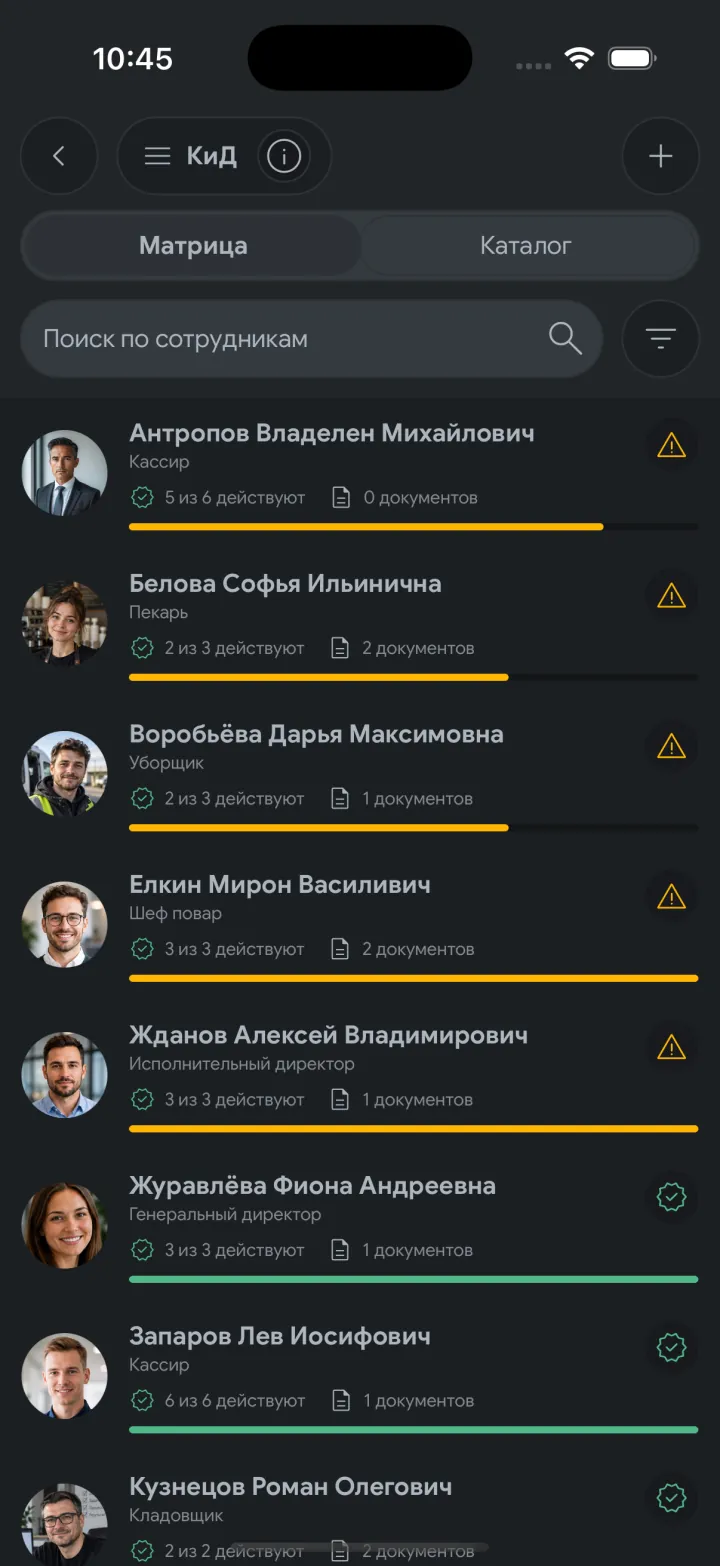
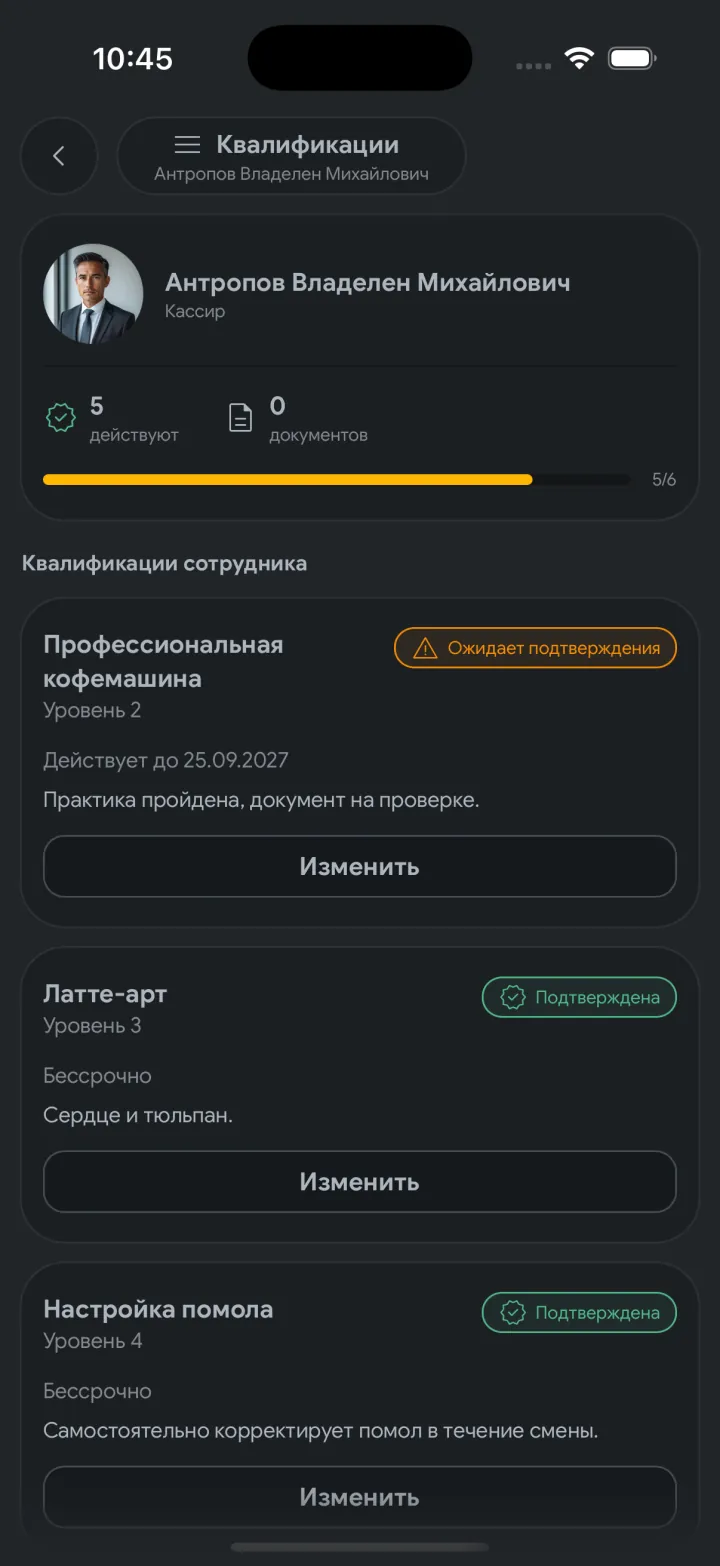
For more information about setting up a catalog and working with employees, see documentation on qualifications and admissions.
Exchange of shifts
Exchange of shifts helps employees find replacements without lengthy correspondence and manual calls to colleagues. You can post your work shift directly from the production calendar. The section itself contains ads, employee feedback, and their own publications.
Employees see suitable shifts, open a detailed card and respond to the ad. The supervisor can compare candidates, check their availability, and choose who will be hired. The schedule changes only after the supervisor's decision.
The supervisor can also self-publish the shift.: as a replacement for a specific employee or as a free shift without replacement. When selecting, the system takes into account the schedule, registered absences, intersections, and specified qualification requirements.
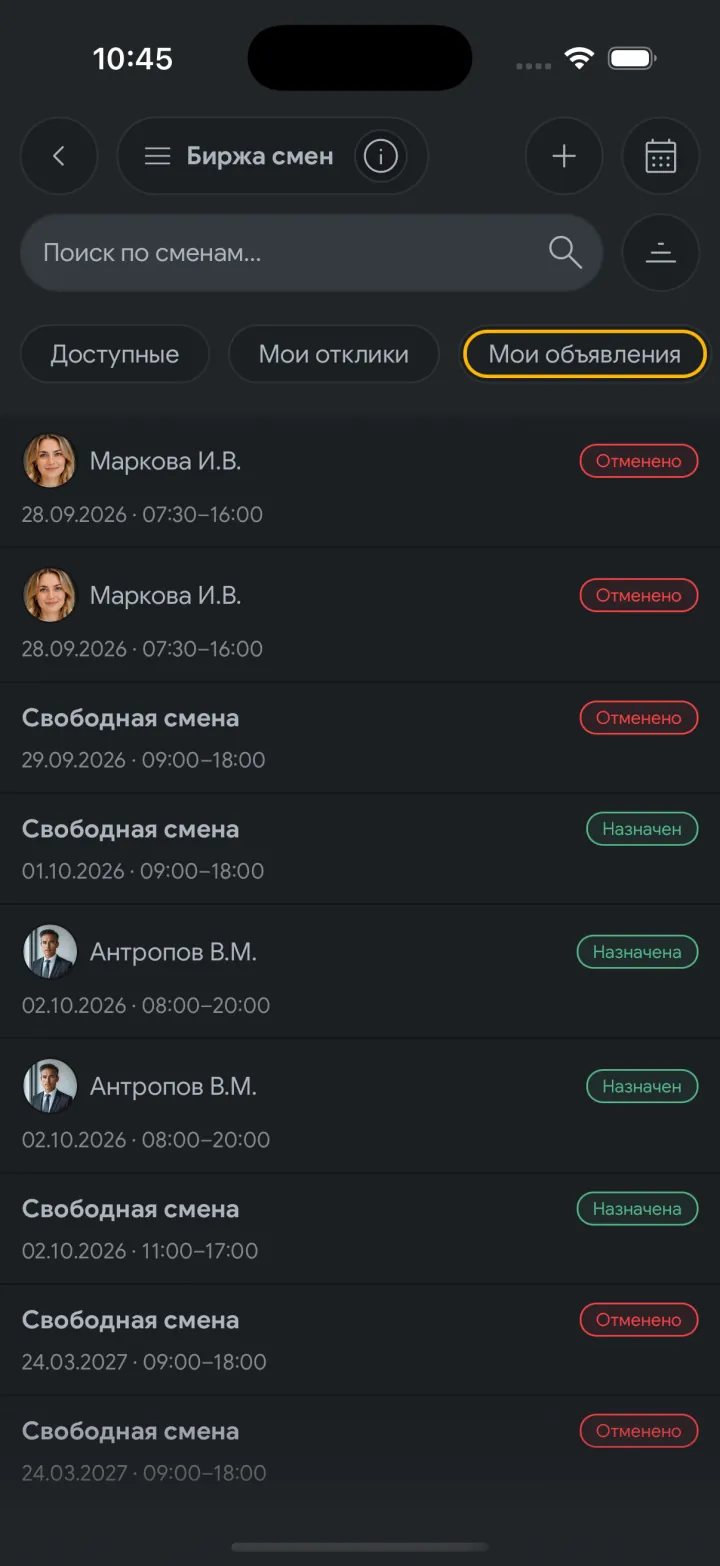
A step-by-step scenario for publishing, responding, and selecting an employee is available in documentation on the exchange of shifts.
Accounting for absences
A separate magazine has appeared in Synchra24 justified absences. The supervisor can specify the employee and the period, mark the terms of payment, add comments, photos, and files. The employee receives a notification, and the absence becomes visible in the calendar and related work sections.
A registered absence helps to distinguish an understandable reason for absenteeism from a regular non-appearance. It is taken into account in statistics, calculation of paid time and when checking the availability of an employee for a replacement or a free shift.
The journal supports search, date filter, sorting, and export to Excel. You can open, edit, or cancel an entry by saving the action history.
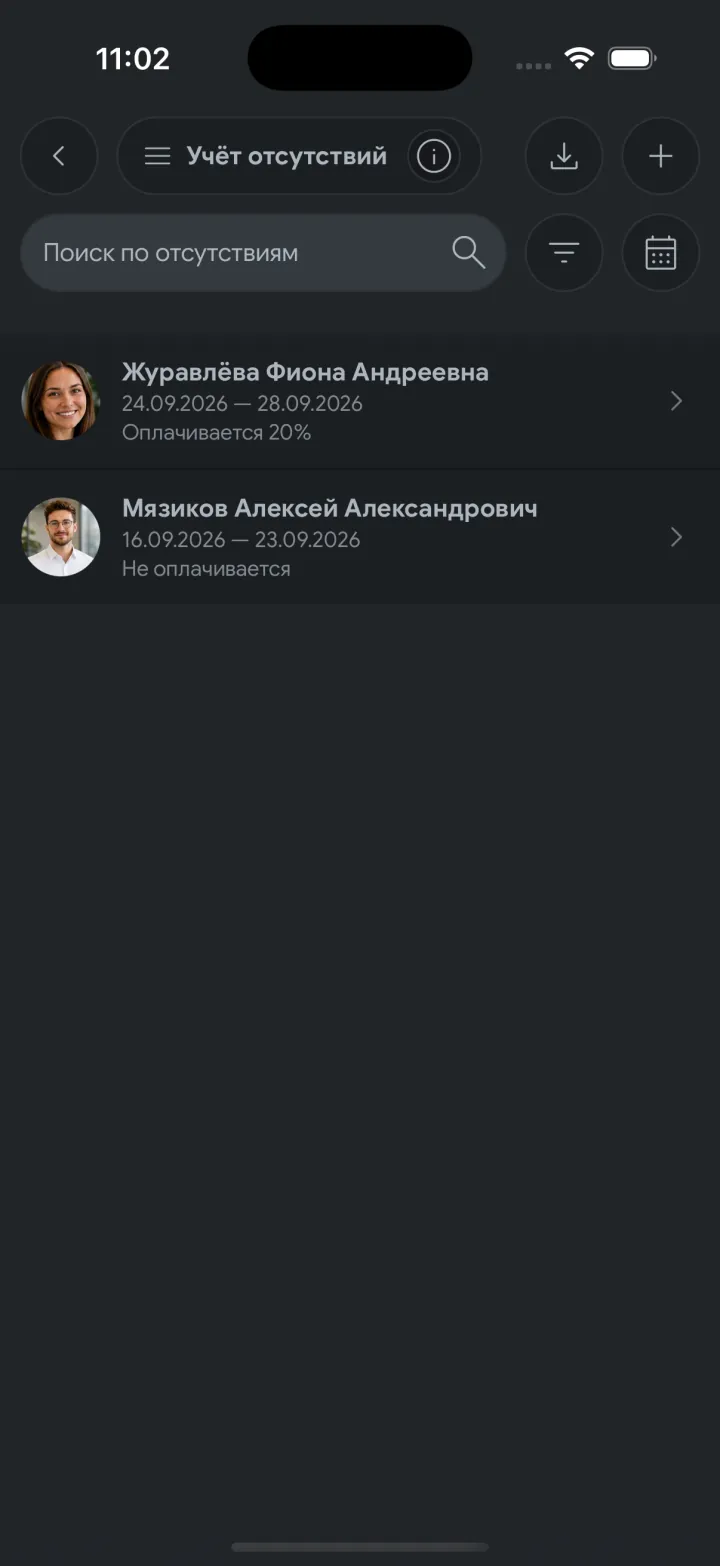
For more information, see documentation on accounting for absences.
Accounting for substitutions
New section "Accounting for replacements" records who doesn't go on his shift and who works in his place. The manager can arrange a unilateral replacement or a mutual exchange of working days between employees.
Before saving, Synchra24 checks dates, membership, working hours, and conflicts with vacations, absences, and outfits. After confirmation, the changes are included in the schedule, and participants receive notifications.
Substitutions can be created in several ways:
- manually by the supervisor;
- after selecting a candidate on the exchange of shifts;
- through an agreed application with a customized macro;
- when running time off schedule on your own, when a supervisor's decision is required.
The log provides search, filters, sorting, history of active and canceled entries, as well as export to Excel. The detailed operating procedure is described in documentation on accounting for replacements.
Smart Executive Summary
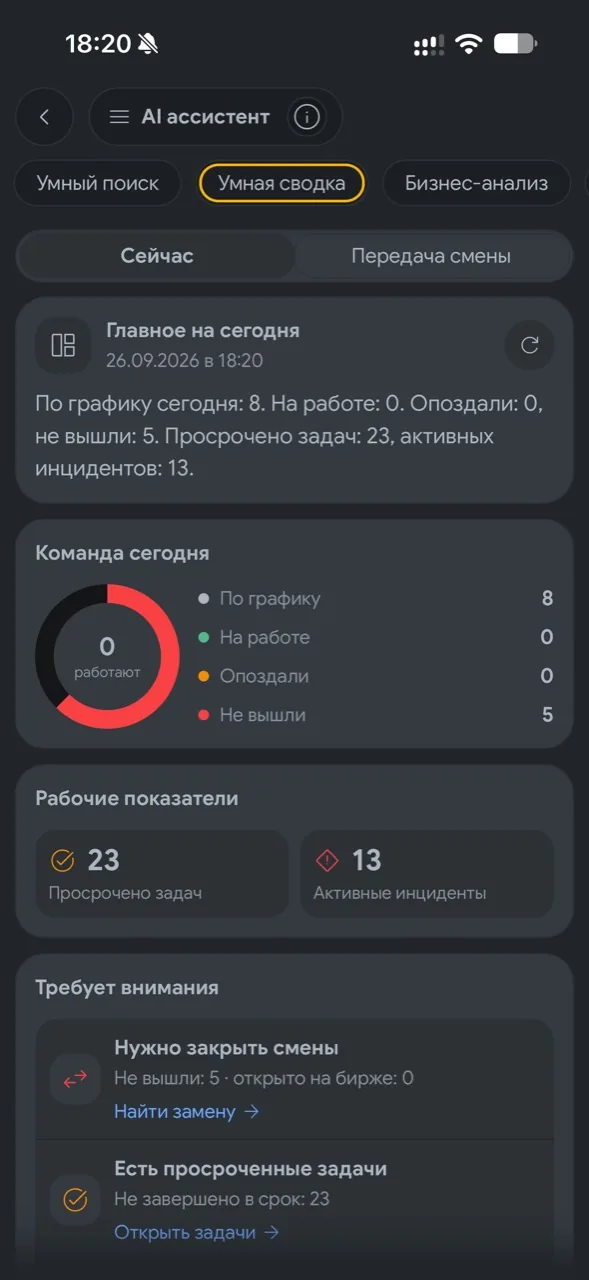
In The AI assistant a tab has appeared Smart Summary. It collects an up-to-date picture of the working day from Synchra24 data and helps the manager quickly understand what is happening in the team, without manually viewing several logs and reports.
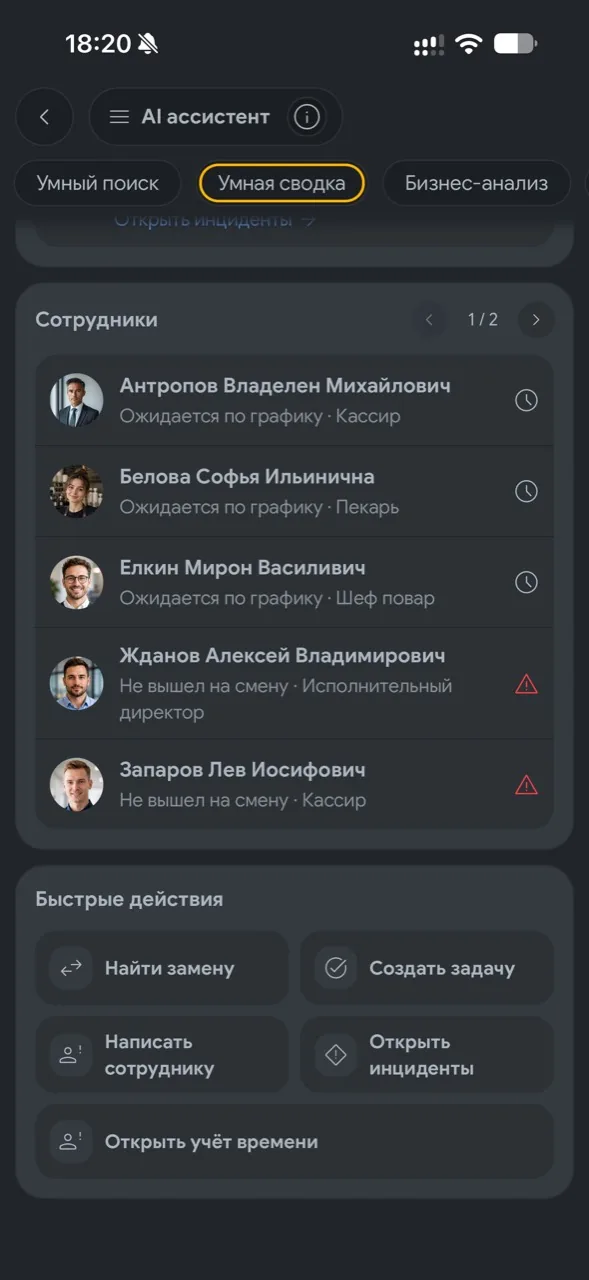
In the mode "Now" The summary shows how many employees are scheduled and at work, who was late or did not come on shift, how many overdue tasks and active incidents are left. Charts and flashcards highlight indicators that require attention, and a list of employees helps you immediately see specific people and their current status.
From the summary, you can proceed to action: find a replacement, write to an employee, create a task, open incidents, or check working hours. Separate mode "Shift transfer" forms a summary for the next manager — what happened, what remained unfinished, and what needs to be checked next.
For more information about summary modes, quick actions, and shift transfer, see documentation on the AI assistant.
One process instead of five separate tools
The main value of version 1.2.3 is the interconnection of new functions. A smart summary immediately shows absenteeism and suggests finding a replacement. The manager sees the real availability of the team, publishes the shift on the stock exchange, receives feedback and selects a candidate. Before the appointment, the system will check his schedule, absence and necessary qualifications. The confirmed replacement will then be added to the work calendar and history.
This way, the supervisor closes the shift faster, it is easier for employees to negotiate with each other, and the required skills and permits are not lost in the process.
Synchra24 1.2.3
Version 1.2.3 makes Synchra24 noticeably stronger in daily work with shift and line staff. The update helps you quickly assess the working day and plan people not only according to their free time, but also according to their actual readiness for work: taking into account absences, replacements, documents, skills and decisions of the supervisor.
All new features are described in Synchra24 documentation. You can learn more about the platform on the page employee management systems.